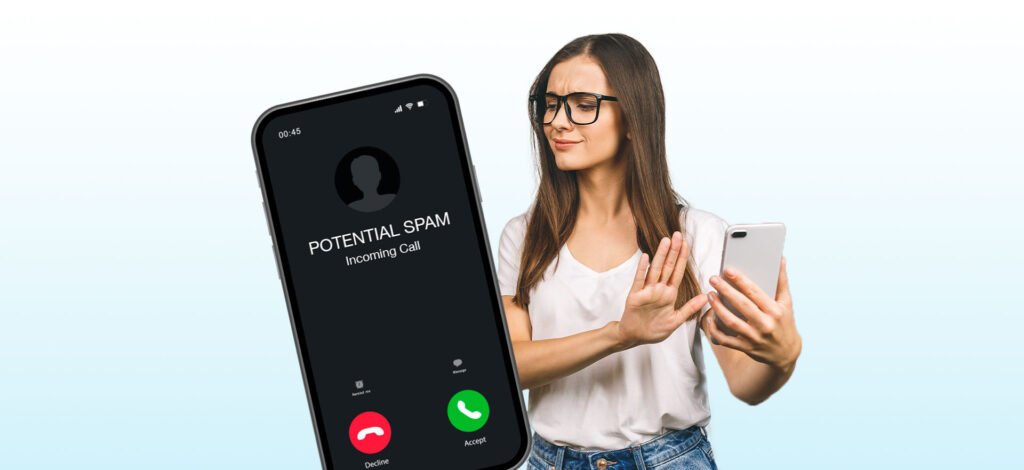
Learning how to stop spam calls from reaching your voicemail is one of the most satisfying fixes you can make on your phone. You block the numbers, you silence unknown callers, and still — somehow — your voicemail fills up with “final courtesy calls about your car warranty” and suspicious IRS threats. Blocking a number stops it from ringing, but many carriers and phones quietly send blocked or suspicious calls straight to voicemail instead of disconnecting them.
This guide walks you through seven practical methods to keep robocalls and telemarketers out of your voicemail on both iPhone and Android. The methods are ordered from quickest to most thorough, and you can combine several for the strongest defense.
Why Spam Calls Keep Ending Up in Your Voicemail
Before fixing the problem, it helps to understand why it happens. When you decline or ignore a call, your carrier treats it like any missed call: it rolls to voicemail after your standard ring time. Even when a call-screening feature flags a number as spam, many default settings send it to voicemail rather than ending the call outright — the phone assumes you might want to check the message later.
Robocallers know this. Their automated dialers are designed to leave messages, because a recorded message costs them nothing and sometimes fools people into calling back. The good news is that every modern smartphone has settings that intercept these calls before voicemail ever gets involved — they just aren’t all turned on by default.
1. Silence Unknown Callers on iPhone
This is the single fastest way to cut spam voicemail on an iPhone. When enabled, calls from numbers that aren’t in your contacts, recent outgoing calls, or Siri suggestions never ring — they go straight to your recent-calls list and voicemail without disturbing you.
That still lets them reach voicemail, though, which is the problem we’re solving. The trick is combining it with Apple’s voicemail screening behavior: silenced calls appear in your call log, but the built-in “Silence Junk Callers” option (available on newer iOS versions under Phone settings) routes suspected spam to a separate junk voicemail section or blocks them outright. Here is the setup:
- Open Settings and tap Apps, then Phone.
- Tap Silence Unknown Callers and turn it on.
- Look for Silence Junk Callers or Block Spam in the same menu and enable it.
- Make sure your real contacts are saved — anyone not in your address book, messages, or recent calls will be silenced.
One trade-off: legitimate first-time callers (a doctor’s office, a delivery driver) also get silenced. If you expect important calls from unknown numbers, ask callers to text you first, or add expected numbers to your contacts before the appointment.
2. Use Call Screen on Android
On Pixel phones and many Android devices, Google’s Call Screen feature answers suspected spam calls with a virtual assistant that asks who is calling and why — before your phone ever rings. Most robocalls hang up when confronted with the screening prompt, which means they never reach your voicemail.
- Open the Phone app and tap the three-dot menu, then Settings.
- Tap Spam and Call Screen.
- Turn on See caller and spam ID and Filter spam calls.
- Under Call Screen, set Automatically screen for Spam and choose Decline robocalls so they never ring and never reach voicemail.
On Samsung phones, the equivalent feature lives under the Phone app’s Settings > Caller ID and spam protection — enable it, and set unknown numbers to be blocked or sent to a spam folder rather than voicemail. Since these tweaks involve digging through Android’s phone settings, it’s worth doing while you’re also tidying up the device; if your Android has been sluggish, check this guide on how to speed up a slow Android phone without deleting apps for a full tune-up.
3. Turn On Your Carrier’s Free Spam Filter
Your phone carrier already knows which numbers are spammers — it sees the call patterns. Each major US carrier offers a free app or built-in filter:
- T-Mobile — Scam Shield: Turn on Scam ID and Scam Block. Scam Block rejects likely scam calls at the network level, so they never reach your phone or voicemail.
- AT&T — ActiveArmor: The free tier flags suspected spam and lets you auto-block fraud calls and send telemarketers straight to voicemail — or block them entirely.
- Verizon — Call Filter: The free version detects and filters spam; the paid tier adds a caller ID and a personal block list.
The key setting in each app is the difference between “send to voicemail” and “block.” Choose block for high-risk/fraud calls. Blocking at the network level is more effective than anything on your handset, because the call is killed before it ever reaches your device.
Pros: Free, works on any phone, stops spam before it rings. Cons: Detection isn’t perfect — some spam slips through and a rare legitimate call may be flagged. Check each app’s spam folder occasionally for false positives.
4. Use a Third-Party Call-Blocking App
If your carrier’s filter isn’t enough, dedicated apps like RoboKiller, Hiya, and Nomorobo maintain enormous crowd-sourced databases of spam numbers and use smarter tactics — like “answer bots” that waste robocallers’ time, or automatically hanging up before voicemail engages.
Typical setup takes two minutes: install the app, grant it call-screening permission in your phone settings, and enable the auto-block list. Most offer a free trial, with paid plans running a few dollars per month.
- RoboKiller: Aggressive blocking plus answer bots. Excellent at keeping voicemail empty, but the most likely to intercept a legit call.
- Hiya: Balanced spam identification with a solid free tier.
- Nomorobo: Strong on robocall blocking; simultaneous-ring setup on some carriers can add a slight delay.
Pros: More aggressive than carrier filters; great for heavy-spam lines. Cons: Subscription cost; requires call and contact permissions; occasional false positives.
5. Register With the National Do Not Call Registry
The US National Do Not Call Registry won’t stop scammers (who ignore the law), but it cuts legitimate telemarketing calls — and those count toward voicemail clutter too. Registration is free at donotcall.gov or by calling 1-888-382-1222 from the number you want to register.
Two things to know: registration is permanent (no need to re-register), and it takes about 31 days to take full effect. After registering, report violations to the FTC — enough complaints against a caller can trigger enforcement action, and reporting also helps spam databases identify bad actors faster.
6. Change How Your Voicemail Handles Unknown Callers
Sometimes the best move is managing voicemail itself. A few settings make a real difference:
- Shorten your ring time before voicemail picks up — or, counterintuitively, extend it, so legitimate callers have time to leave a message while you decide. Most carriers let you adjust this with a short code.
- Use visual voicemail’s spam folder: Both iPhone and Google Voice-style voicemail sort suspected spam into a junk section. Glance at it weekly and delete in bulk instead of letting it pile up.
- Record a greeting that discourages robocalls: A brief, plain greeting works better than a long one — and avoid greetings that say your name and number, which spammers use to confirm the number is live.
- Turn off voicemail transcription notifications for junk messages so spam stops pinging you throughout the day.
The same “check the spam folder, don’t let it pile up” habit applies to your email inbox too — if spam is piling up there, here’s how to free up Gmail storage without deleting important emails.
7. Combine Layers for Maximum Protection
No single method catches everything, because spammers constantly rotate numbers. The strongest setup stacks two or three layers:
- Network layer: Your carrier’s scam-block feature, set to block (not just send to voicemail).
- Device layer: Silence unknown callers (iPhone) or automatic call screening (Android).
- App layer: A third-party blocker if you’re still getting several spam calls per day.
With all three active, the vast majority of spam calls die at the network, the few that reach your phone get screened silently, and almost nothing makes it to voicemail.
Mistakes to Avoid
- Calling back unknown numbers. Returning a spam call confirms your number is active and invites more calls. Never call back a number you don’t recognize.
- Pressing “9 to opt out” on robocalls. Legitimate companies honor opt-outs; scammers use the keypress to confirm a real person answered.
- Setting “block” for everything at once. Overly aggressive settings can silently block pharmacy calls, school alerts, and job recruiters. Review your block and spam folders weekly.
- Ignoring your carrier’s free tools. People pay for third-party apps without realizing their carrier already offers equivalent protection for free.
- Giving your number out casually. Every form, contest entry, and loyalty program is a future source of telemarketing. Use a secondary number or email for sign-ups where possible.
Frequently Asked Questions
Why do blocked numbers still leave voicemails?
Blocking usually stops the phone from ringing, but your carrier still treats the call as missed and routes it to voicemail. To stop that, you need network-level blocking (your carrier’s scam-block feature) or automatic call screening, which ends the call before voicemail engages.
Does silencing unknown callers stop spam voicemail on iPhone?
Partially. Silence Unknown Callers stops the ring and sends the call to your recent-calls list, but the caller can still leave a voicemail. Pair it with your carrier’s scam-block feature set to “block” so suspected spam never reaches your phone at all.
Are spam-blocking apps worth paying for?
Start with the free options — your carrier’s filter and your phone’s built-in screening handle most cases. A paid app is worth it if you still receive several spam calls a day, since their larger databases and answer-bot tactics catch more.
Will the Do Not Call Registry stop robocalls?
It stops legitimate telemarketers, which noticeably reduces call volume, but it won’t stop scammers who break the law. Think of it as one layer in a multi-layer defense, alongside carrier filters and call screening.
How do I stop spam calls without blocking real calls?
Keep your contacts up to date, review your spam and blocked folders weekly for false positives, and prefer “screen” or “send to voicemail” for borderline categories (telemarketing) while using full “block” only for confirmed fraud calls.
The Bottom Line
Knowing how to stop spam calls from reaching your voicemail comes down to stacking defenses: your carrier’s free scam-block at the network level, silent screening on your device, and optionally a third-party app for the heaviest spam. Set aside ten minutes to turn these on once, check your spam folders occasionally, and your voicemail will stay quiet for the messages that actually matter.