
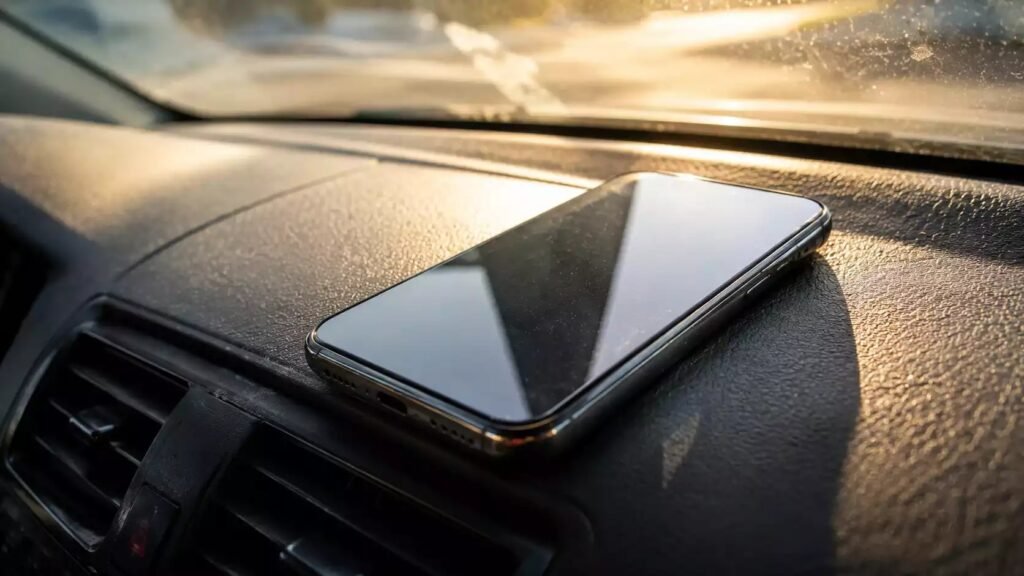
Learning how to keep a phone from overheating in a hot car in summer matters because a parked car can become dangerously hot in minutes. On a warm day, the inside of a car heats up far beyond the outside temperature, especially when sunlight streams through the windshield. A phone left on a dashboard can quickly become too hot to touch, and that heat stresses the battery, slows performance, and can even cause the phone to shut down to protect itself.
The good news is that most overheating is preventable. With a few habits, choosing shade over sunlight, keeping air moving, charging wisely, and knowing when to give your phone a break, you can use your phone for navigation and music on summer trips without cooking it. This guide explains why cars get so hot, where to place your phone, what to avoid, and what to do if your phone already feels overheated.
Why a Hot Car Is So Hard on Phones
A car acts like a greenhouse. Sunlight passes through the glass, warms the seats and dashboard, and that heat stays trapped inside because the windows are closed. The dashboard is the worst spot of all, because it sits directly under the windshield and absorbs sunlight all day. Temperatures there can climb far higher than the air temperature outside, even on a moderately warm day.
Phones are sensitive to heat for two reasons. First, the battery degrades faster when it gets hot, and repeated heat exposure shortens its overall life. Second, the phone itself generates heat when it works, especially when it runs navigation, streams video, charges, or searches for a weak signal. In a hot car, that internal heat has nowhere to go, because the surrounding air is already hot. The result is a phone that slows down, dims its screen, stops charging, or shuts off with a temperature warning.
That shutdown is actually a safety feature, not a fault. Phones are designed to protect themselves by reducing performance or turning off when they get too hot. The goal is to avoid reaching that point, because repeated overheating still wears the battery down over time, even if the phone recovers each time.
Never Leave Your Phone in a Parked Car
The simplest rule is the most important: do not leave your phone in a parked car in summer, even for a short errand. A car parked in the sun heats up extremely fast, and a phone left on a seat, in a cup holder, or on the dashboard will soak up that heat. Even a car parked in the shade warms up on a hot day, though more slowly.
If you must leave your phone in the car, take it with you instead. A phone in a pocket or a bag is far cooler than a phone in a parked car, and it is also safer from theft. If you are leaving the car for a while and the phone must stay behind for some reason, place it in the trunk or a covered compartment, out of direct sunlight, and power it off. A powered-off phone generates no internal heat, so it will warm up more slowly.
This rule applies to other heat-sensitive items, too, including tablets, laptops, and power banks. A power bank left in a hot car can also overheat, and it should never be left on a dashboard in summer. When in doubt, take electronics with you.
Choose the Coolest Spot for Your Phone While Driving
When you are driving, where you mount your phone matters as much as how you use it. A dashboard mount places the phone directly in sunlight, which is the worst combination for heat. A windshield mount is nearly as bad, because the phone sits in the sun and blocks your view. A vent mount or a mount attached to a side window or the center console keeps the phone out of direct sun and, in the case of a vent mount, in the path of cool air from the air conditioning.
If you use a vent mount, angle a vent toward the phone, but do not blast cold air directly onto a very hot phone for a long time, because rapid temperature changes can cause condensation inside the device. A gentle flow of cool air is enough. If your car has a shaded cubby or a compartment near the center console, that can be a good spot for a phone that is charging but not being used for navigation.
Remove thick, insulating cases on very hot days if your phone is running warm. A heavy case traps heat, while a thin case or no case allows heat to escape more easily. This is especially helpful when the phone is running navigation and charging at the same time, which are the two most heat-generating activities.
Use Navigation and Apps in a Heat-Smart Way
Navigation is one of the biggest heat sources in a car. It uses GPS, the screen, mobile data, and the processor all at once, and if the phone is also charging, the heat adds up quickly. You can reduce the load without giving up navigation. Download offline maps before your trip, so the phone does not need to constantly download map data over a weak signal. Lower the screen brightness, because a bright screen generates significant heat and uses battery quickly.
Close apps you are not using, especially video streaming and social media apps running in the background. Turn off features you do not need while driving, such as Bluetooth scanning or automatic app updates. If you are listening to music, downloaded music uses less data and less processor power than streaming, and it keeps working even if the signal drops.
Give your phone breaks on long trips. If you are a passenger, let the phone rest in the shade for a while. If you are driving, use voice guidance rather than keeping the screen on constantly, and turn the screen off between turns when it is safe to do so. Small breaks let the phone cool down and prevent heat from building to the shutdown point.
Charge Wisely in a Hot Car
Charging generates heat, and charging in a hot car adds that heat to an already warm environment. Avoid fast charging on very hot days if you can, because fast charging generates more heat than standard charging. A slower charge, or charging only to the level you need, keeps the phone cooler and is gentler on the battery.
Do not charge a phone that is already very hot. If your phone shows a temperature warning or feels uncomfortably warm, unplug it and let it cool before charging again. Charging a hot phone can trigger the phone to stop charging anyway, and it adds stress to the battery. Similarly, avoid wireless charging in a hot car, because wireless charging is less efficient and generates more heat than a cable.
Use a quality cable and charger, and avoid cheap chargers that may deliver inconsistent power. Keep the charging cable out of direct sunlight, and do not drape it across a hot dashboard. Good charging habits in the car are part of the same battery-care routine that helps overnight; see how to keep a phone battery from draining overnight without turning it off for the overnight side of the same story, where background activity and charging choices again decide how healthy your battery stays.
Cool a Hot Phone Safely
If your phone already feels hot, do not panic, and do not try to cool it quickly with extreme cold. Never put a hot phone in a refrigerator or freezer, and never hold it against ice. Rapid cooling can cause condensation inside the phone, which can damage components, and it can also crack a hot screen. Slow, gentle cooling is always safer.
Move the phone into the shade and remove its case. Turn off the screen, close heavy apps, and stop charging. If you are in the car, hold the phone near a vent with gentle airflow, or place it on a cool, shaded surface. Let it cool gradually for ten to fifteen minutes. The phone may dim its screen or slow down while it cools, and that is normal. Once it feels comfortable to hold again, you can resume using it.
If your phone shows a temperature warning and shuts down, let it cool completely before turning it back on. Do not force it to restart while it is still hot. If overheating happens repeatedly, even in mild conditions, check for a swollen battery, a damaged case, or an app that is constantly working in the background, and seek professional help if the battery looks swollen or the phone behaves strangely.
Summer Road Trip Habits That Protect Your Phone
A few trip habits make summer driving much easier on your phone. Park in the shade whenever possible, and use a windshield sunshade when you park, because it keeps the whole car, including the dashboard, noticeably cooler. Crack the windows slightly when it is safe to do so, to let hot air escape, and run the air conditioning for a few minutes before placing your phone on a mount.
Pack light for your electronics, too. Bringing only the devices you need reduces clutter on the dashboard and makes it easier to keep each device shaded and cool. The same packing discipline that makes travel easier generally, as described in how to pack light for a week-long trip with one carry-on, applies to your car: fewer items, each in its proper place, means less heat, less clutter, and less stress on every device you carry.
Finally, plan your charging. Charge your phone fully before you leave, so you do not need to fast-charge in a hot car. Carry a portable charger for emergencies, but keep it shaded and out of the car when parked. A little planning before the trip saves you from the worst heat problems during it.
Mistakes That Make Phone Overheating Worse
The most common mistake is leaving the phone on the dashboard, where it gets direct sun and the hottest air in the car. Another is charging a hot phone at full speed, which adds heat to heat. A third is ignoring temperature warnings and forcing the phone to keep working, which can lead to a shutdown or battery damage.
People also make overheating worse by wrapping a hot phone in a thick case or a towel, which insulates it, or by trying to cool it with ice, which risks condensation. Another mistake is running navigation, streaming video, and fast charging all at once on a hot day, which is the maximum heat combination. Spread those activities out, or reduce one of them, and the phone will stay much cooler.
FAQ
Can a hot car damage my phone battery permanently?
Yes, repeated exposure to high heat shortens battery life over time, even if the phone recovers each time. Occasional warmth is normal, but regular overheating in a hot car will reduce how long your battery holds a charge.
Is it safe to leave my phone in the car for a few minutes?
It is best not to, especially in summer. A parked car heats up very fast in sunlight, and even a few minutes on a dashboard can make a phone uncomfortably hot. Take the phone with you whenever possible.
What should I do if my phone shows a temperature warning?
Move it to the shade, remove the case, stop charging, and close heavy apps. Let it cool gradually for ten to fifteen minutes. Do not put it in a freezer or against ice, and do not force it to restart while it is still hot.
Does a vent mount really help keep a phone cool?
Yes, because it keeps the phone out of direct sunlight and in the path of cool air from the air conditioning. Use gentle airflow rather than blasting cold air onto a very hot phone, to avoid condensation.
Should I use fast charging in a hot car?
Avoid it on very hot days if you can. Fast charging generates more heat than standard charging, and that extra heat adds to an already warm environment. Charge slowly, or charge before your trip instead.
Can I use navigation all day in summer without overheating?
Yes, with heat-smart habits: download offline maps, lower brightness, use voice guidance, take screen breaks, keep the phone shaded and ventilated, and avoid fast charging while navigating.












1 thought on “How to Keep a Phone From Overheating in a Hot Car in Summer”
Comments are closed.