
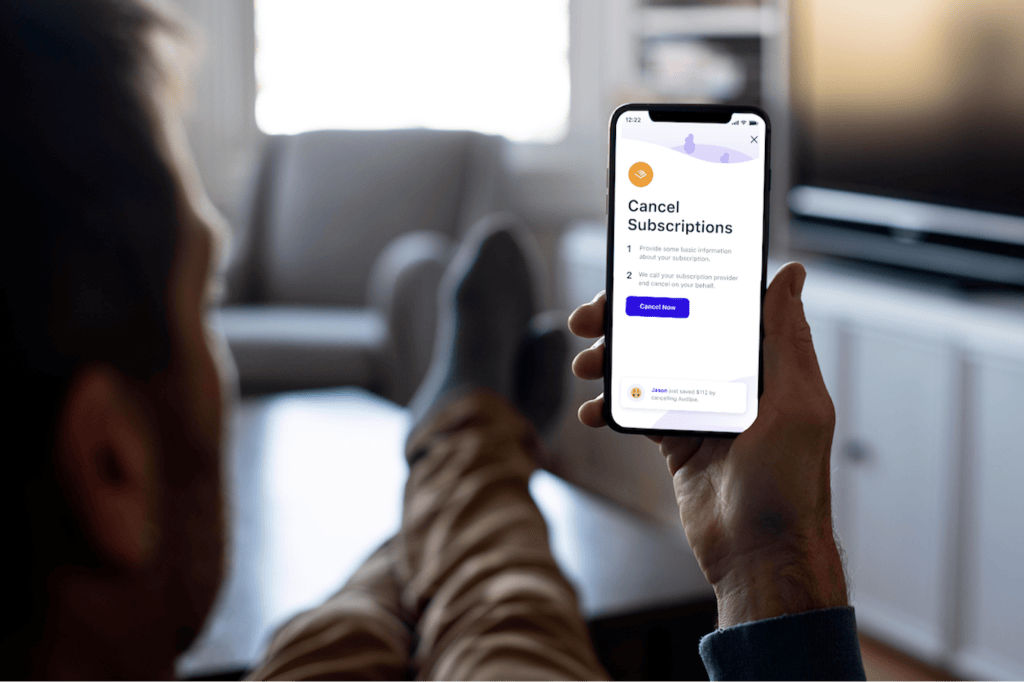
Streaming services, app trials, cloud storage, gym memberships, subscription boxes — the average American household quietly pays for subscriptions it no longer uses. These forgotten charges drip out of bank accounts month after month, and most people underestimate the total by hundreds of dollars a year. Learning how to cancel unused subscriptions you forgot you were paying for is one of the fastest ways to find “free money” in your budget. Here is a complete, step-by-step system to find every leak and seal it.
This article is for informational purposes only and is not financial advice. Consult a qualified professional.
Step 1: Find Every Subscription (the Full Audit)
You cannot cancel what you cannot see. Run a complete audit across every place recurring charges hide.
Scan three months of bank and card statements
Pull up your checking account and every credit card, and scan three full months of transactions line by line. Highlight anything recurring: streaming, apps, software, memberships, magazines, meal kits, beauty boxes, storage, antivirus, domain renewals, Patreon-style memberships. Monthly charges are easy to spot; also watch for annual charges that hit once a year and are easy to forget.
Search your email for billing receipts
Search your inbox for terms like “receipt,” “billing,” “subscription,” “renewal,” “invoice,” “trial,” and “your payment.” This catches subscriptions tied to an email address but charged to a card you rarely check. If your inbox is cluttered, this is also a good moment to free up Gmail storage so billing emails stay findable.
Check the app stores
Many forgotten subscriptions live inside your phone, billed through Apple or Google rather than the service directly:
- iPhone: Settings → your name → Subscriptions. Everything billed through Apple is listed here with renewal dates.
- Android: Play Store → profile icon → Payments & subscriptions → Subscriptions.
- Roku / Fire TV / smart TV: Check the channel store’s subscription section — trials started from the couch are classic forgotten charges.
Check PayPal and other wallets
Open PayPal → Settings → Payments → Manage automatic payments. Cancel-here-forgotten charges also hide in Venmo, Apple Pay, and Google Pay transaction histories. Any service you signed up for years ago may still be drawing from an old wallet.
Step 2: Sort Keep, Cancel, and Maybe
Write every subscription on a list with its cost and billing frequency. Then sort ruthlessly:
- Keep: You used it in the last 30 days and would genuinely miss it. Be honest — “might use it” is not “keep.”
- Cancel: You have not used it in 60+ days, you forgot it existed until this audit, or a free alternative exists.
- Maybe: Seasonal or occasional use. For these, cancel now and re-subscribe only for the months you actually use them (more on this below).
The 30/60-day rule removes emotion from the decision. If you have not touched it in two months, you will not miss it.
Step 3: Cancel Each One (Service by Service)
Now work through the cancel list. Cancellation paths differ, so here is how to handle the common cases.
Streaming services (video and music)
Most let you cancel online in account settings — look for “Manage subscription,” “Membership,” or “Billing.” Cancel even if you “might” watch next month: you can always re-subscribe, and most services keep your watch history and profiles for months. Note the difference between canceling (stops renewal, keeps access until the paid period ends) and deleting the account.
App subscriptions
Cancel through the app store where you subscribed (Apple/Google settings above), not just by deleting the app. Deleting the app does NOT cancel the subscription — this is the single most common forgotten-charge trap.
Gym and club memberships
These are deliberately hard to cancel. Check your contract for the required notice period and cancellation method — many require written notice, a certified letter, or an in-person visit, precisely to make you give up. Follow the contract exactly, keep copies of everything, and watch your statements for two months after to confirm charges stop.
Subscription boxes and meal kits
Cancel from the account page, and watch for “skip a month” buttons designed to keep you subscribed instead of canceling. If the site hides the cancel button, use the chat support or the customer-service number and state clearly: “I want to cancel, not skip or pause.”
Free trials that converted
If a trial converted to paid and you never used it, cancel immediately, then contact support and politely ask for a refund of the first charge. Many companies refund one billing cycle for first-time requests, especially if you cancel within days of the charge.
Step 4: Beat the Cancellation Dark Patterns
Companies spend real money making cancellation hard. Expect these tricks and counter them:
- The hidden button: Cancel is buried three menus deep. Search “[service] cancel subscription” for direct links other users have found.
- The guilt screen: “We’ll miss you!” with sad mascots and countdown offers. Close it. A discount on something you do not use is not a deal.
- The retention call: If they require a phone call, prepare one sentence — “I am calling to cancel my subscription effective immediately” — and repeat it calmly to every offer.
- The pause trap: “Pause for 3 months instead?” Pausing restarts billing automatically later. Choose cancel; you can rejoin anytime.
- The annual-plan lock: If you are mid-annual-plan, cancel now anyway — you keep access until the term ends, and auto-renewal is stopped.
Step 5: Prevent Future Subscription Creep
Canceling once is a cleanup; staying clean requires a system.
The one-in, one-out rule
Before starting any new subscription, cancel an existing one. This caps the total and forces you to value each service against the others.
Use a dedicated “subscriptions” card or virtual cards
Put all subscriptions on one card (or use virtual card numbers where your bank offers them). One statement, one audit point, and if a card is compromised you can see exactly which services to update. Some banks let you set per-merchant limits or pause virtual cards — a paused card blocks the next renewal attempt, which surfaces forgotten charges immediately.
Set renewal reminders
For annual subscriptions you keep, set a calendar reminder two weeks before renewal. That is your decision point: keep, downgrade, or cancel — instead of discovering the charge after it hits.
Prefer monthly billing for trials
Annual plans save money only if you use the service all year. For anything new, start monthly; switch to annual only after a full year of proven use. The same discipline that helps you stop impulse buying when shopping online applies here — slow down the signup, and the subscription stack stays lean.
Do a quarterly 10-minute audit
Every three months, repeat the statement scan. Ten minutes, four times a year, catches new creep before it compounds. Put it on your calendar now.
How Much Can You Actually Save?
Run the math on your cancel list: multiply each monthly charge by 12 and add the annual ones. A typical cleanup finds three to six forgotten subscriptions averaging $10–$20 a month — that is $360 to $1,440 a year back in your pocket. Redirect even half of it somewhere intentional — an emergency fund, extra debt payments, or simply cheaper groceries without the coupon hassle — and the audit pays for itself hundreds of times over.
Pros and Cons of Subscription-Management Apps
- Using an app (Rocket Money, etc.): Pros — automatic detection across accounts, one-tap cancellation for many services. Cons — many charge a fee or take a cut of savings; you hand over bank credentials to a third party.
- Manual audit (this guide): Pros — free, private, and you learn exactly where your money goes. Cons — takes 30 to 60 minutes the first time; requires quarterly discipline.
The manual route wins for most people: one focused hour, then ten minutes a quarter. The apps are worth considering only if you have many accounts and zero patience for spreadsheets of charges.
Common Mistakes to Avoid
- Deleting the app instead of canceling: The subscription keeps billing. Always cancel in the subscription settings or app store.
- Assuming “free trial” means no card was stored: Most trials require a card and convert silently. Treat every trial signup as a future charge until canceled.
- Keeping a service “just in case”: “Just in case” is how $14.99 a month survives for three years. Cancel; re-subscribing takes two minutes if the case ever arrives.
- Forgetting family-shared subscriptions: Check which services family members added to your card or account. One conversation can kill three duplicate streaming bills.
- Not confirming the cancellation: Always get a confirmation email or screenshot. Check the next statement to verify the charge is gone — and dispute any charge that appears after a confirmed cancellation.
- Canceling and immediately re-subscribing at a “win-back” price: Win-back discounts are designed to pull you back in. Take the discount only if the service genuinely earned a “keep” in your audit.
Frequently Asked Questions
Will canceling a subscription delete my account and data?
Usually not. Canceling stops future billing; your account, watch history, playlists, and files typically remain for months. Check the service’s policy if you care about the data, and download anything important before canceling.
Can I get a refund for months I forgot about?
Sometimes. Contact support, be polite, explain you did not use the service, and ask. Many companies refund the most recent charge or one billing cycle. Refunds for many months back are rare, but asking costs nothing.
How do I cancel a subscription if I lost access to the account?
Use the service’s account-recovery flow with your email address, or dispute the charge path: if it bills through Apple/Google, cancel in the app-store subscription settings even without the app. As a last resort, ask your bank about blocking the merchant — but try the service first, since bank blocks can cause collection issues.
Should I use a subscription-tracking app or do it manually?
Manual auditing is free, private, and teaches you where money goes — it is the better default. Consider an app only if you have many accounts and will not do the manual audit. Either way, the quarterly check is what keeps you clean.
What about subscriptions my employer or family pays for?
Leave those alone in your audit, but verify who is actually paying. People often keep paying for a service their employer now covers, or for a family plan someone else manages. A quick check can reveal a duplicate you can safely drop.
How often should I repeat the subscription audit?
A full audit once a year plus a quick 10-minute statement scan each quarter. Set calendar reminders now — future you will not remember on your own, and that is exactly how subscriptions survive.












1 thought on “How to Cancel Unused Subscriptions You Forgot You’re Paying For”
Comments are closed.