
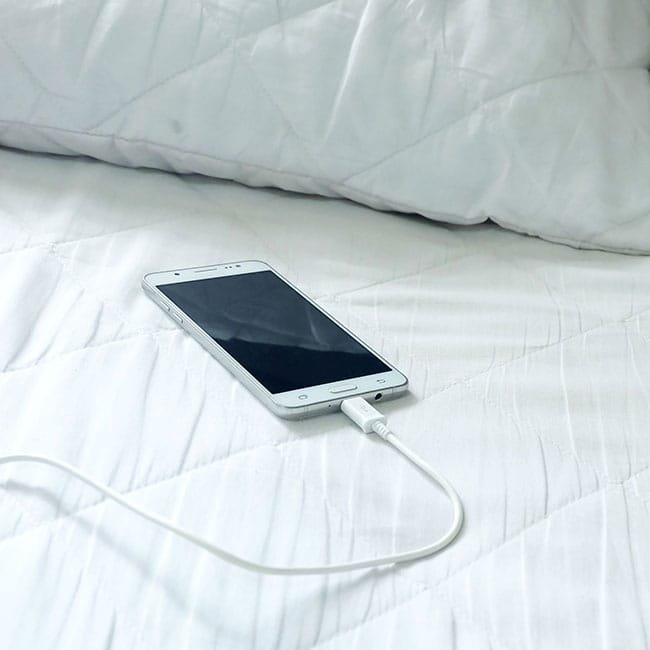
You plug in your phone before bed, and by morning it feels warm — sometimes uncomfortably hot. If you want to know how to stop your phone from overheating while charging overnight, the good news is that a warm phone at night is almost always fixable, and the fixes are simple. Overnight charging itself is not the problem; trapped heat, the wrong charger, and a handful of background processes are. In this guide, you will learn exactly why phones get hot at night and 12 practical steps that keep your phone cool, protect your battery, and make overnight charging completely worry-free.
Why Your Phone Gets Hot While Charging Overnight
A phone generates heat every time electricity flows into the battery. That is normal physics. The problem is when the heat has nowhere to go. Overnight charging creates a perfect storm of warmth for several reasons:
- Continuous trickle charging: Once your battery hits 100 percent, the phone keeps it topped up with small charge cycles, each one generating a little heat.
- Insulating surfaces: Phones charged on beds, under pillows, or on sofas trap heat against the device instead of letting it dissipate.
- Background activity: Overnight, your phone runs iCloud or Google backups, downloads app updates, syncs photos, and indexes files — all of which use the processor and warm the phone.
- Fast chargers left plugged in: High-wattage chargers push more current and generate more heat, even after the battery is full.
- Cases that trap heat: Thick rugged cases, wallet cases, and leather covers act like blankets for your phone.
- Warm rooms: If the bedroom is warm in summer, the phone starts the night at a higher temperature and heats faster.
A little warmth is normal. If your phone feels merely warm to the touch, it is fine. But if it feels hot — like a warm mug of coffee — something in this list needs fixing. For reference, phone batteries are happiest between about 60 and 95 degrees Fahrenheit. Above 95°F for long stretches, battery chemistry degrades faster.
Turn On Optimized Charging (The Single Most Important Fix)
Both iPhone and Android phones now include a feature designed exactly for overnight charging. It learns your wake-up time and holds the battery at around 80 percent for most of the night, finishing the last 20 percent just before your alarm. Less time at 100 percent means less heat and a battery that stays healthy much longer.
On iPhone
Go to Settings → Battery → Battery Health & Charging and make sure Optimized Battery Charging is on. On newer models you may also see a Charge Limit option — setting it to 80 percent is even better for battery longevity if you do not need a full charge every day. Note that this feature works best with a regular wake-up schedule and Significant Locations enabled, since the phone uses your routine to time the final charge.
On Android
Go to Settings → Battery → Battery Protection (Samsung) or Settings → Battery → Adaptive charging (Google Pixel). Samsung lets you choose between Basic (pauses at 100 percent then resumes), Adaptive (learns your schedule like Apple’s version), and Maximum (caps charging at 80 percent). Pixel phones have Adaptive Charging and Optimized charging options under battery settings. If your phone brand uses different menu names, search “battery protection” in the Settings search bar.
12 Practical Steps to Keep Your Phone Cool at Night
1. Charge on a hard, cool surface
Move your phone off the bed. A nightstand, wooden desk, or ceramic tile lets heat escape from both sides of the phone. If your nightstand has a soft doily or cloth, charge the phone on the bare surface. Some people stand the phone upright against a book so air circulates around more of the device.
2. Take the case off at night
If you use a thick protective case, slip the phone out of it before plugging in. The case traps heat against the battery, and removing it can lower charging temperatures noticeably. Put the case back on in the morning. If removing the case daily sounds annoying, switch to a slim case with ventilation — your battery will thank you.
3. Use the manufacturer’s charger — or a lower-wattage one
Cheap third-party chargers and cables are one of the most common causes of overheating. They often lack proper temperature regulation. Use the charger that came with your phone or a certified brand, and match the cable to the port (USB-C cable with USB-C charger, not a mismatched mix). Here is a trick most people miss: for overnight charging, a slower 5-watt charger is actually better. You do not need speed at 2 a.m. — you need cool, gentle charging over eight hours, and a slow charger generates far less heat.
4. Cap the charge at 80 percent
Keeping a lithium battery at 100 percent for hours every night is the fastest way to wear it out. Both Apple and Samsung now offer an 80-percent charge limit. If your daily routine does not demand a full battery, leave the limit on. You will lose a small amount of runtime and gain months — possibly years — of battery health.
5. Close heavy apps before bed
Navigation apps, video calls, games, and camera-heavy apps keep working in the background if you leave them open. Before plugging in, swipe away anything that uses GPS, the camera, or constant network activity. Also turn off mobile hotspot and any active file downloads.
6. Switch on airplane mode or Do Not Disturb
Airplane mode stops the radios — cellular, Wi-Fi, and Bluetooth — from constantly hunting for signals, which is a hidden heat source. The downside: you cannot receive calls. A good compromise is leaving the phone connected but enabling Do Not Disturb and turning off Bluetooth and location services before bed. If your phone allows scheduled Do Not Disturb, set it to run from bedtime to wake-up automatically.
7. Schedule backups and updates for daytime
Cloud backups and big app updates often run at night because that is when the phone thinks you are not using it. These are heavy tasks. In your cloud settings, turn off automatic backup or restrict it to times you are awake. Let app updates run manually once a week instead of automatically overnight.
8. Keep the room reasonably cool
Your phone can only shed heat if the surrounding air is cooler than the phone. A bedroom at 68–72°F is ideal. If the room runs hot in summer, even a small fan pointed near the nightstand helps. Never charge a phone in direct sunlight or right next to a heater or radiator.
9. Update your phone software regularly
Software bugs are a classic cause of unexplained overheating. A stuck background process or a buggy OS version can keep the processor running hot all night. Check for updates monthly. If a phone suddenly starts overheating after an update, the next update usually fixes it — manufacturers track these reports closely.
10. Watch out for wireless chargers
Wireless charging is convenient but less efficient than a cable — the lost energy becomes heat. If your phone runs hot on a wireless pad overnight, try switching to a cable for a week and compare. If you prefer wireless, use an upright stand-style charger with a fan, or at least a pad with ventilation holes. Avoid stacking anything on top of the phone while it charges wirelessly.
11. Replace a swollen or aging battery
A battery that is several years old generates more internal resistance, which means more heat for the same charge. If your phone is three or more years old and heats up significantly more than it used to, the battery may be degraded. Check battery health in settings (iPhone: Settings → Battery → Battery Health; Samsung: Samsung Members app → Diagnostics). If maximum capacity is below 80 percent, consider a battery replacement instead of a new phone.
12. Do not charge under a pillow or blanket
This is the one rule to never break. Charging under bedding traps heat so effectively that the phone can reach dangerous temperatures. Always charge in the open air. If you fall asleep with the phone, make sure it is on the nightstand, not on the mattress beside you. If you are trying to cut down on late-night scrolling as well, charging the phone across the room kills two birds with one stone — and our guide on getting off screens without taking devices away has related strategies that work for adults too.
When Overheating Becomes Dangerous: Warning Signs
Normal warmth is fine, but certain signs mean you should act immediately:
- The phone is too hot to hold comfortably for more than a few seconds.
- The back of the phone is bulging or the screen is lifting — this indicates a swollen battery. Stop using it immediately and take it to a repair shop; do not puncture it or throw it in household trash.
- The phone shuts itself down or displays a temperature warning frequently.
- There is a strange smell, like burning plastic or a sweet chemical odor.
- The phone gets hot even when it is not charging and not in use.
Modern phones have built-in thermal protection and will shut down before true danger, so catastrophic failures are extremely rare with undamaged phones. The risk rises mainly with damaged, swollen, or very old batteries, and with damaged cables. If you ever smell burning or see smoke, unplug the phone, move it to a non-flammable surface like a metal sink, and keep your distance while it cools.
Mistakes That Make Overnight Charging Worse
- Using a frayed or damaged cable: Damaged cables can cause intermittent connections and heat at the port. Replace any cable with exposed wiring or a loose connector.
- Charging in a hot car or near a window in summer: Ambient heat stacks on top of charging heat.
- Streaming video while charging in bed: Watching videos until you fall asleep keeps the screen, processor, and charging circuit all working at once — maximum heat generation.
- Ignoring persistent heat: If your phone runs hot every single night despite the fixes above, something is wrong — a rogue app, a failing battery, or a faulty charger. Investigate rather than tolerating it.
- Trusting “battery saver” apps: Third-party battery apps cannot cool your phone; some run constantly in the background and actually add heat. Your phone’s built-in battery tools are all you need.
Frequently Asked Questions
Is it safe to leave my phone charging overnight?
Yes. Modern phones stop charging at 100 percent and manage the battery with built-in protection circuits. Overnight charging is safe as long as you use a quality charger, keep the phone in open air, and remove thick cases. The main downside is slow long-term battery wear from sitting at full charge, which the 80-percent limit largely solves.
Why does my phone get hot at night but not during the day?
Because night combines three things: continuous top-up charging after reaching 100 percent, heavy background tasks like cloud backups and updates, and insulating surfaces like beds and pillows. During the day you usually charge for shorter periods on hard surfaces, so heat dissipates better.
Should I use fast charging overnight?
There is no benefit. A fast charger finishes the job in an hour, then the phone sits warm at 100 percent all night. Switch to a slow 5-watt charger for overnight use — it generates less heat and treats the battery more gently. Save fast charging for daytime top-ups when you are in a hurry.
Does removing the case really help with heat?
Yes. Cases, especially thick or leather ones, trap a layer of warm air against the phone’s back, which is exactly where the battery sits. Removing the case at night is one of the simplest and most effective cooling measures, and it costs nothing.
Will optimized charging make my phone cooler?
Indirectly, yes. By holding the battery at 80 percent for most of the night instead of topping it to 100 percent and trickle-charging for hours, the phone spends far less time generating charge heat. Most users notice the phone is cool to the touch in the morning once this feature is active.
How hot is too hot for a phone battery?
Warm is normal; hot is not. If the phone is uncomfortable to hold, feels like a fresh cup of coffee, or triggers a temperature warning, that is too hot. Long-term exposure above about 95°F accelerates battery aging, and a bulging battery or burning smell means you should stop using the device and get it checked professionally.
If heat problems persist on your phone even after these fixes, the slowdown tips in our guide to speeding up a slow Android phone can help you find rogue background apps that may be generating heat, and it is worth checking which apps are draining your battery in Settings — a single misbehaving app is often the real culprit.












1 thought on “How to Stop Your Phone Overheating When Charging Overnight”
Comments are closed.